

Customer Relationship Management (CRM)
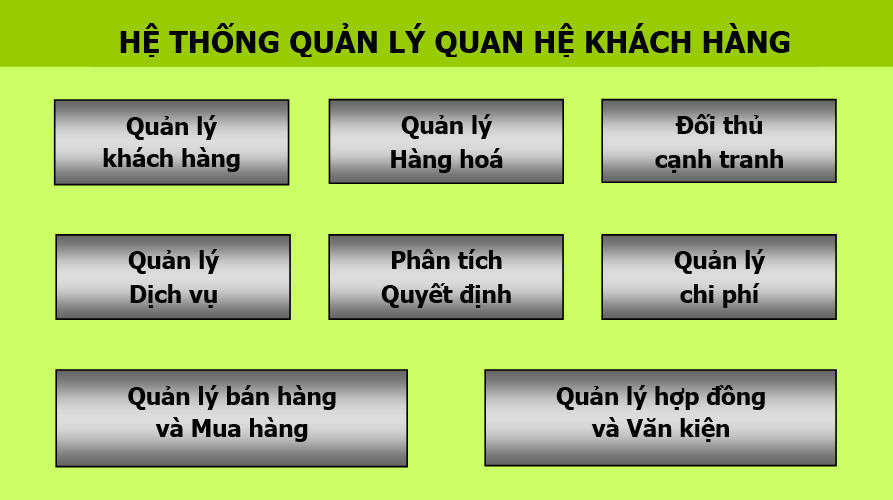
I. System Functional Diagram
II. System Process Diagram
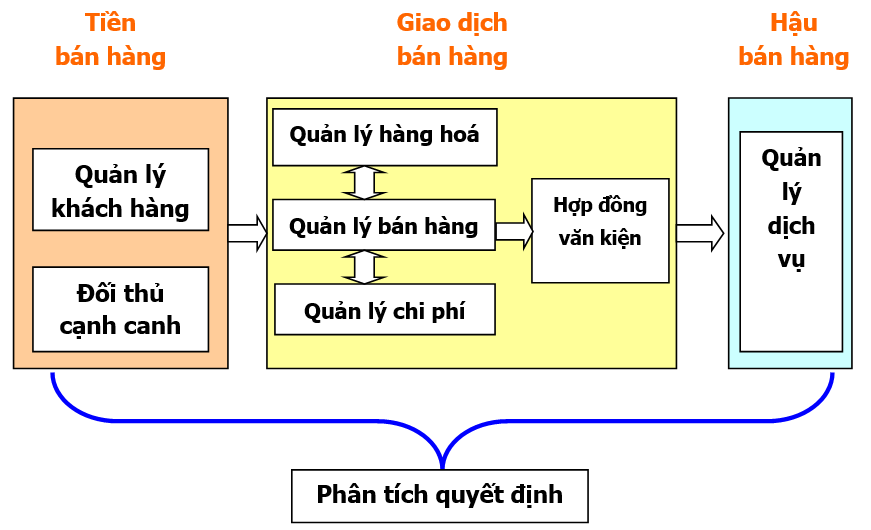
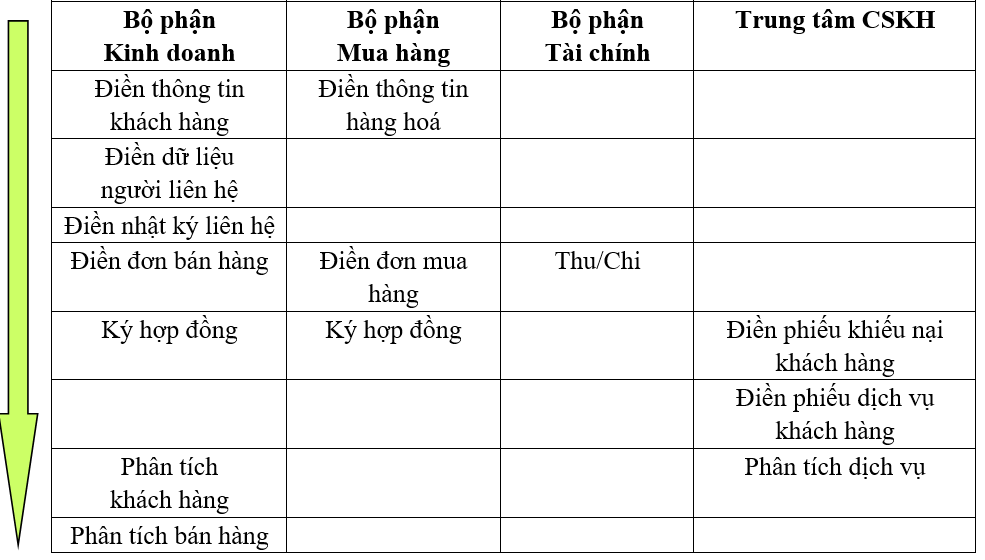
Below, the operational steps of the system are explained based on the division of labor among departments.
III. Module Operation Guide
1. Customer Management
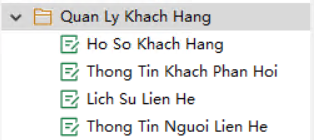
- (1) Customer Information Form: Records the current list of customers. Click "Customer Information Form" -> New and fill in the details. Note: "Company Name" is mandatory. "First/Last Contact Time" is automatically extracted from the "Contact Record".
- (2) Contact Information: Records the contact persons of the associated company. "Company Name" and "Contact Name" are mandatory.
- (3) Contact Record: Reflects customer tracking status. "Contact Time", "Company Name", and "Contact Name" are mandatory. After selecting a company name, a dropdown will list all registered contacts for selection.
2. Service Management
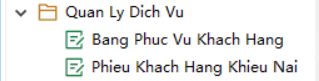
This module includes customer complaint forms and service forms. The workflow is as follows:
- (1) Complaint Form: Customer service staff log complaints/needs received via phone or email. "Customer Name" and "Complaint Details" must be recorded.
- (2) Forwarding: Upon saving, the complaint is routed to the relevant manager.
- (3) Assignment: If unresolved, the manager assigns technical/service staff to handle the issue.
- (4) Completion: The assigned staff processes the pending service ticket, updating the "Service Staff" and "Completion Level" fields.
3. Product Management

The "Product Information" report logs existing products and supplier details.
- Click "Product Information" -> New. "Product Name" and "Supplier" are mandatory.
- "Product Code" is auto-generated.
- "Barcode", "Product Category", and "Sub-category" can be selected from dropdown lists.
- Images can be uploaded to the "Product Image" tab, and price changes are logged in the "Price Change Record".
4. Sales and Purchase Management
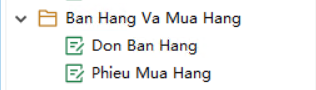
(1) Filling out "Purchase Order":
- Workflow: Buyer fills form -> Purchasing Manager reviews -> Finance Manager executes payment via "Payment Order".
- Operation: Login -> "Purchase Order" -> New. Select customer, document number is auto-generated. Product info and payable amount are calculated automatically. Default discount is 1 (enter 0.85 for a 15% discount).
- Note: Items must be pre-registered in "Item Information" before a PO can be issued.
(2) Filling out "Sales Order":
- Workflow: Salesperson fills form -> Sales Manager reviews -> Finance collects payment.
- "Customer" is selected from the menu. If it's a new customer, manual entry is allowed, and the system automatically generates a new profile in the "Customer Information Form".
5. Decision Analysis
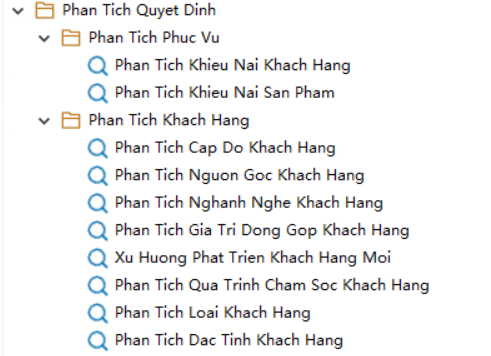
Provides in-depth statistical reports to help management make strategic decisions based on real-time data.
6. Contract and Document Management
Supports the storage, categorization, and rapid retrieval of all documents and contracts signed between the enterprise and its customers.