1. Building an Information System with Excel Server

Organization, Role and Users

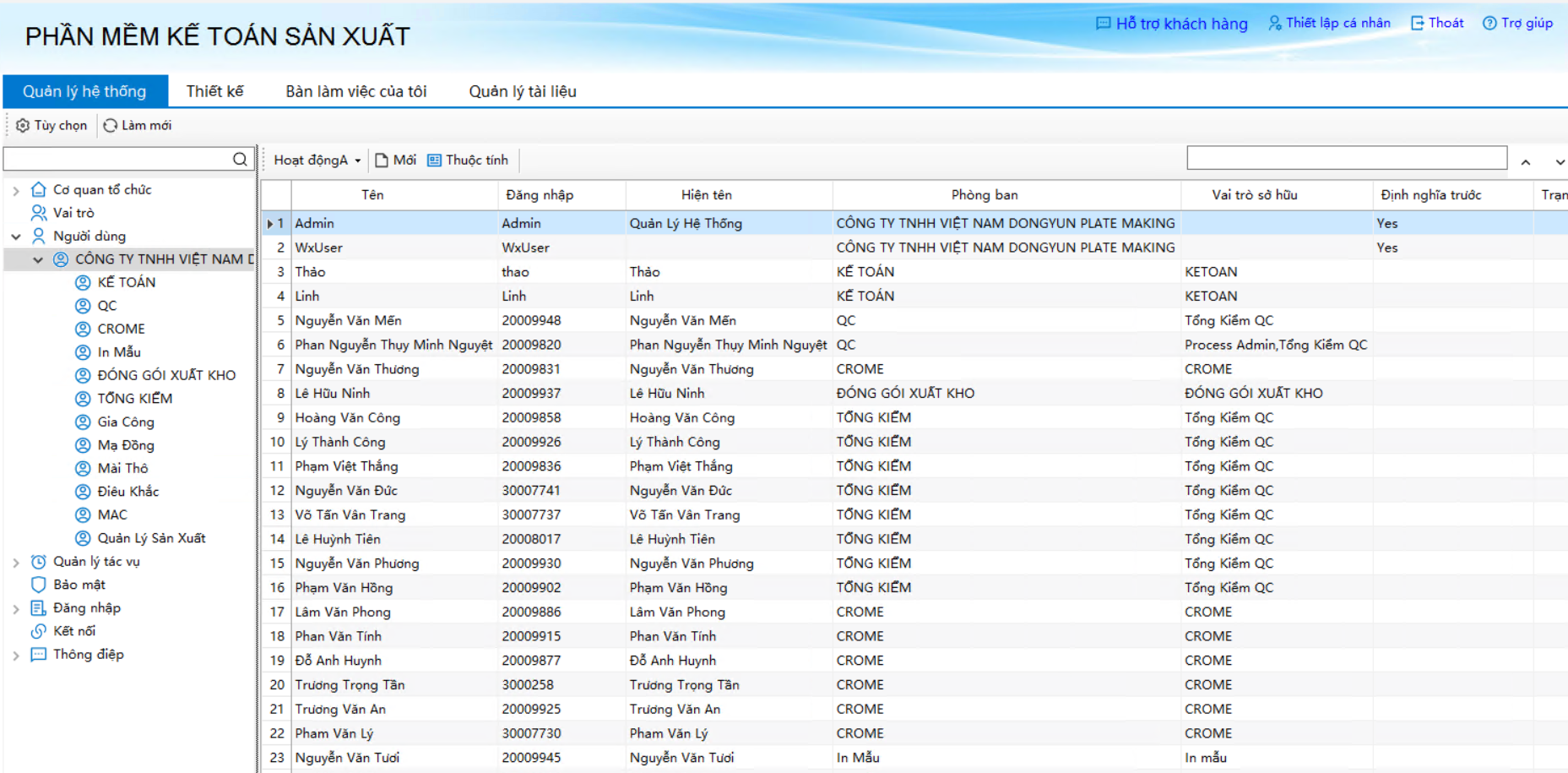
The purpose of information systems is to “let the right people, at the right time, get the right information.” The system is usually not used by one person, but by people in various positions within the organization who have different responsibilities and access to information. In Excel Server, the "Management Console" module can easily define the organization, role and user in the system. Among them, the organization is what we usually say about the division of departments, the role represents different functions, and the user is the person who can actually log in to the system and operate. Each user belongs to a different department and has different roles, so that they have different information access.

2. The information system consists of a "template"

An information system includes various types of information within the organization, including operational documents, statistical statements, cards, ledgers, etc. This information needs to be centrally stored, shared by multiple people, rationally flowing, and integrated use.

In Excel server, all kinds of information that needs to be managed are collectively referred to as "templates", "templates" is the basic concept of Excel server, and an information system is composed of templates. Simply put, "template = sample + fill in the form specification", for each type of information that needs to be managed, we have designed a "template" to regulate how this kind of information is filled, how to store, how to flow between different positions, how to calculate, how to cross-reference with other information, and so on.

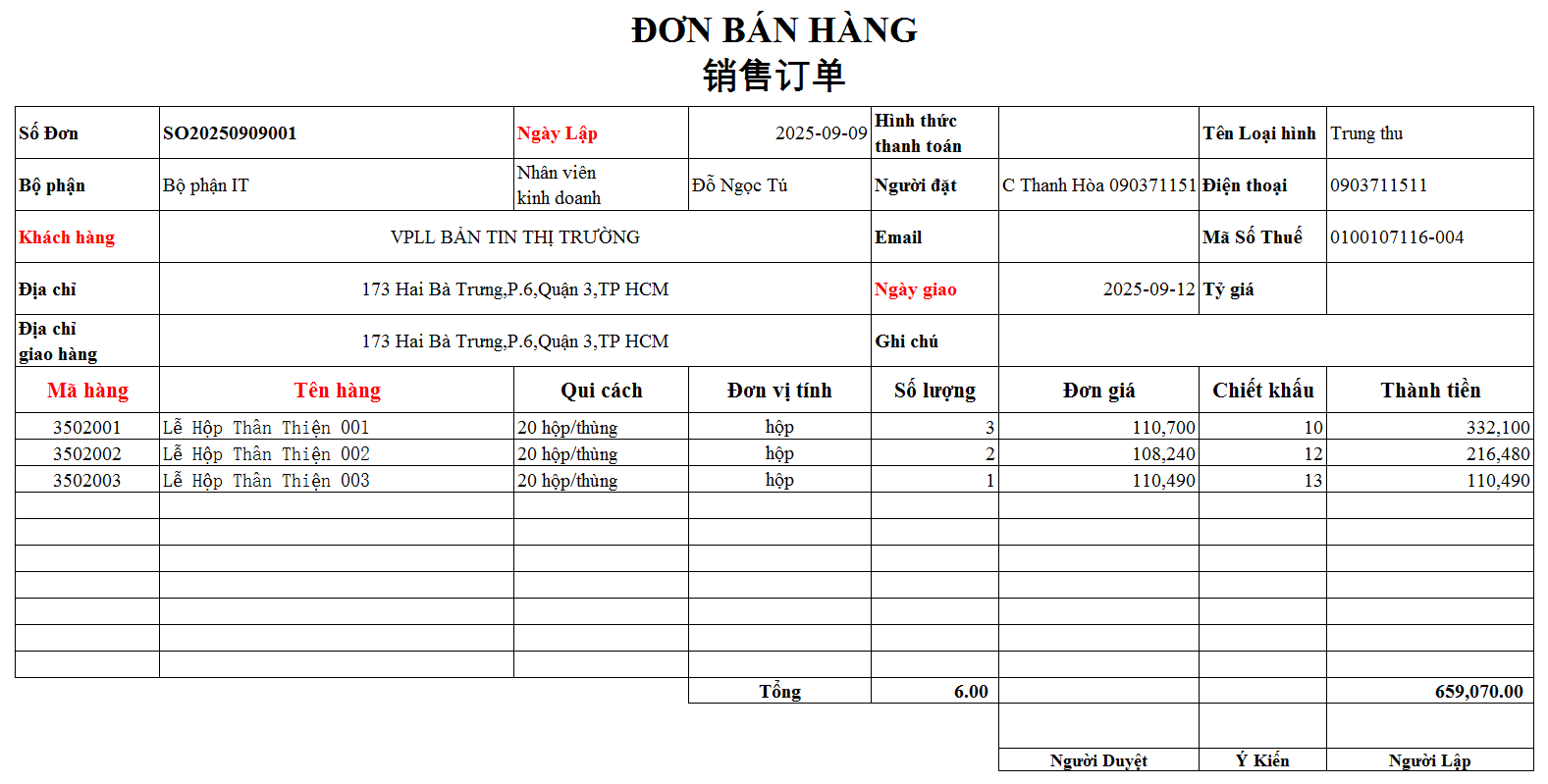
For example, for a sales order, we define an “order template” with the following table:

Figure 1-2 A sample of a "template"

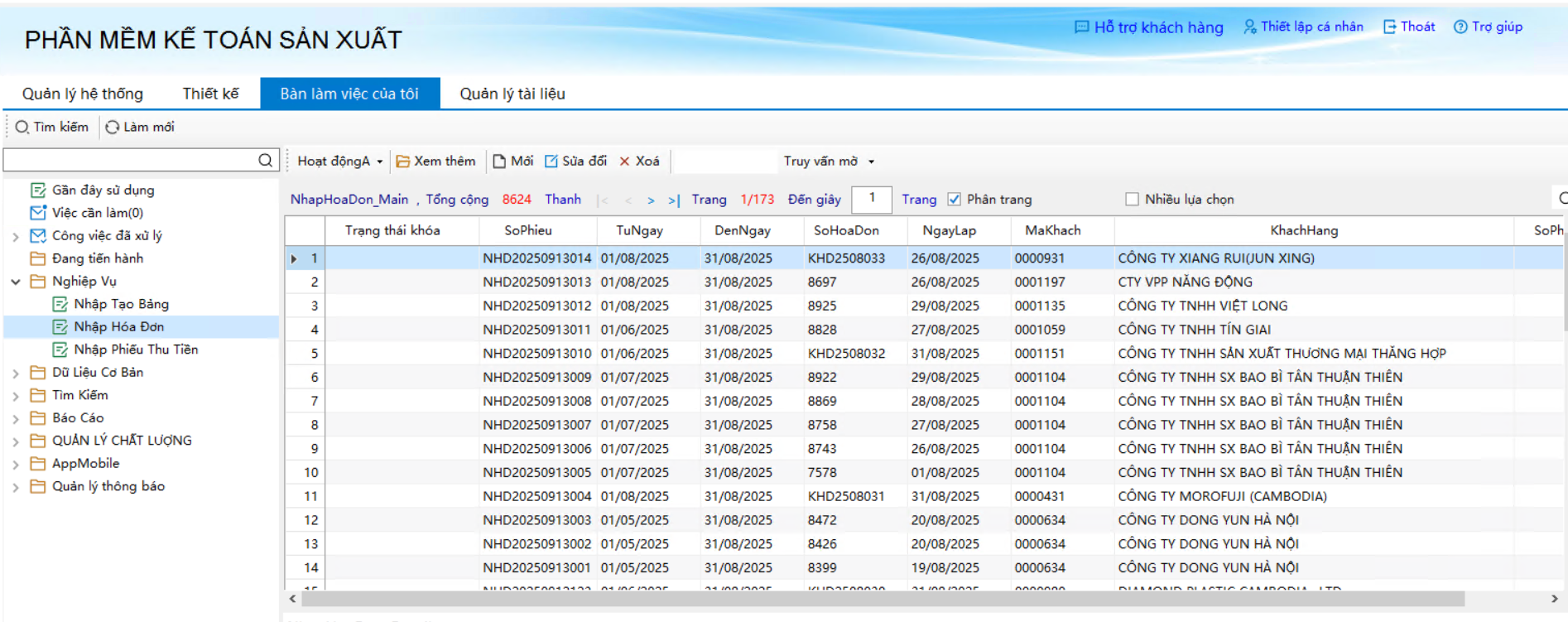
With the template sample, the relevant authorized users can enter the order information according to this table and store it in the system database. As shown in the figure:

Figure 1-3 Enter data according to "template" and stored centrally in the database

For a template, in addition to the sample, we can also specify:

  • The template's permissions.
    For example, the salesman can fill in the "order", but each salesman can only see his own orders, can not see the orders filled by others; sales managers, financial managers and general managers can see all orders, and so on.
  • The flow of templates between different positions (workflow).
  • For example, the order template is first filled in by the salesman and then passed to the sales manager for approval, and the sales manager approves the approval and passes to the warehouse manager for shipment, if the approval is not terminated by this.

Figure 1-4 Defining workflows graphically

  • Enter the requirements when filling out the template (data specification).
    For example, "order number" is automatically generated by the system, and the "inscriber" defaults to the name of the current login person, which cannot be changed at will; "customer name" is selected from a drop-down list and cannot be entered casually; and so on.
  • The data reference relationship between this template and other templates (inter-table formula).
    For example, when entering an order, the customer name cannot be entered casually, it should be selected from a drop-down list, and the optional customer name in the drop-down list comes from the customer information that has been entered on another "customer registration form" template; and so on.

3. Operate with a familiar spreadsheet interface

As mentioned earlier, the process of building an information system with an Excel server is the process of defining a template. The definition of the template starts from the drawing of the sample, how to draw the table? Draw with a spreadsheet, draw with Excel!

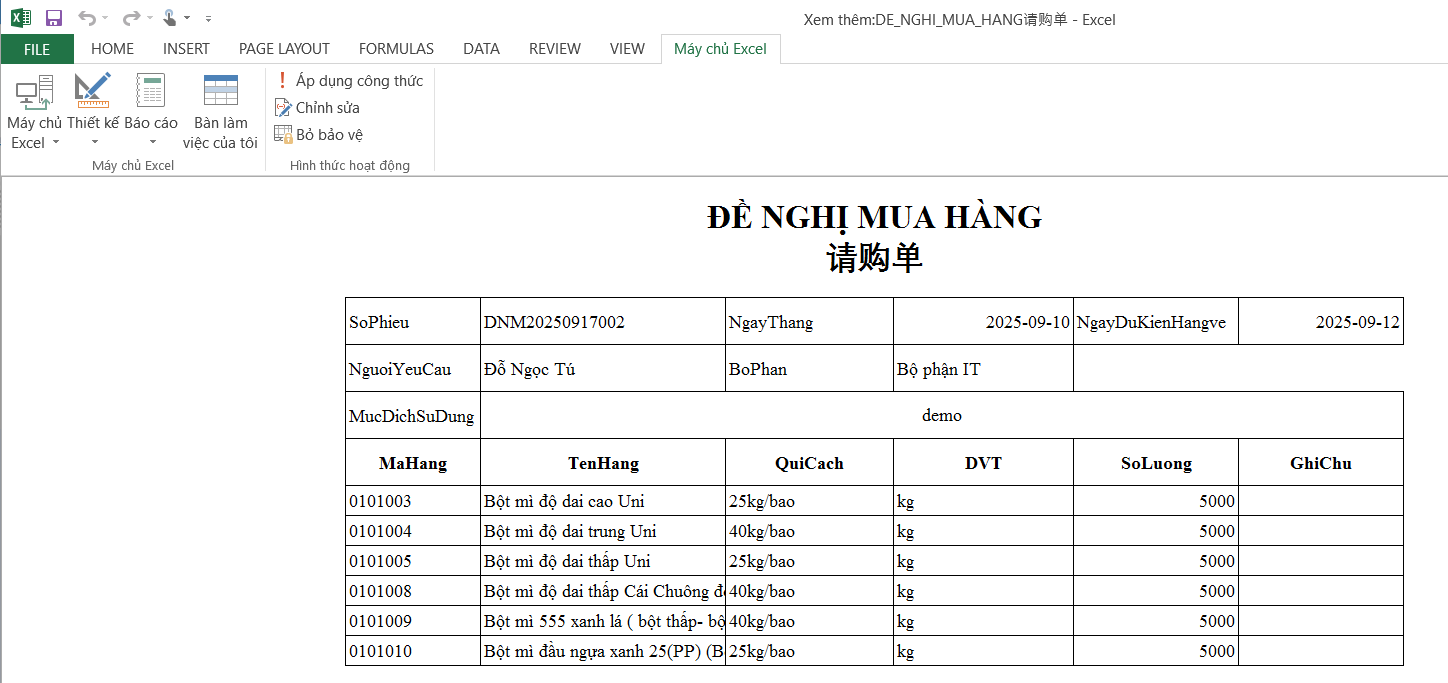
Spreadsheets are a very common information processing tool in enterprises and institutions, and people are familiar with the use of spreadsheets and are accustomed to using spreadsheets to handle their daily work. Excel server with the spreadsheet as the main operating interface, define the template sample, that is, draw the template format on the Excel file, fill in the data, just like operating a normal Excel file.

Figure 1-5 can be manipulated with a familiar Excel interface

With Excel server built out of the information system, because many operations can be completed through the spreadsheet interface, people do not feel strange, the operation is easy to grasp, each function of the interface (template) looks very similar to the Excel table used in their daily work, so quickly can get started, so it is implicitly resolved one of the risks that the enterprise information process usually encounters: the end user for the new system learning costs and the resulting in discomfort and resistance, thus greatly reducing the implementation of the information system.

4. Excel Server ≠ Excel

Users who first come into contact with Excel servers, before they know it specifically, often ask the question: What is the difference between Excel server and Excel spreadsheet? Is it a supplement to Excel? Is it a replacement for Excel? No, except with Excel spreadsheets as a client-side operator interface, there are huge differences between Excel servers and Excel spreadsheet software, which are completely different types of software.

  • Different roles and purposes

The purpose of Excel servers is to build enterprise information systems. Spreadsheet Excel is a desktop tool for individuals or groups.

  • Functions are different.

The Excel server provides a variety of functions that an information system needs to have, including: organization, role, and definition of people; form design, data dictionary definition, and database table creation; workflow definition and operation; data statistics and automatic execution; WEB operation mode; short message interface; email interface; data integration with other information systems, and so on.

  • Different ways of managing information

All information managed by the Excel server is centrally stored in the database, and the data stored on Excel is stored in Excel files.

  • Different ways of operation

The client of the Excel server can be operated through the browser in addition to being operated through the spreadsheet interface.

  • System architecture is different

Excel server uses a three-layer architecture, which needs to be installed on the server and client respectively. We will detail the specifics in the later sections.

5. Excel server allows users to autonomous informatize the process

The basic design concept of Excel server is "user independence", not relying on software manufacturers, nor superstitious management consulting consultants, so that the managers and business personnel of enterprises and institutions become the leading force to achieve enterprise informationization.

First, the need for autonomy. Using Excel server to design the system, each function (template) is defined according to the actual business situation of the enterprise, to ensure that the system meets the business needs. This is very different from buying off-the-shelf software.

Second, the autonomy of the staff. Excel server is for the end user, the person who uses it is the enterprise's own management personnel and business backbone, the process of designing the system is a natural extension of the process of designing management forms, planning processes, and establishing management systems in actual work, without writing a line of code, and not having too much computer expertise. This is very different from whether it is a software company to do development or the enterprise itself to recruit computer professionals to do development. Enterprises do not have to worry about not recruiting or retaining computer talents, because the main body of information technology work is no longer technicians who must receive special training, but the business personnel and managers of the enterprise.

Third, process autonomy. As we mentioned earlier, the information system built with Excel server is composed of a "template", a template is a document, a process, and a kind of report that we want to manage. Enterprise informatization can not be an ambitious goal or several stages of planning, but into a daily work in the daily work of the effort: first put a document and process into the system, use up, improve, and then do the second, third, ..., systematic and gradual development, process optimization and improvement can also be carried out in detail, invisibly complete the transformation of operation mode and management ability improvement.

Fourth, maintain autonomy. Informatization is a continuous process, a truly successful information system needs to be able to keep up with the pace of enterprise development, in the next few years, continuous improvement and improvement. Technically speaking, Excel servers are simple and easy to use, and the fast-custom construction method makes the information system can respond well to changes in demand - easy to change and adjust quickly; from the application model, because the construction of the system is completed by the enterprise's own personnel, the enterprise can do a good job of system maintenance on its own.